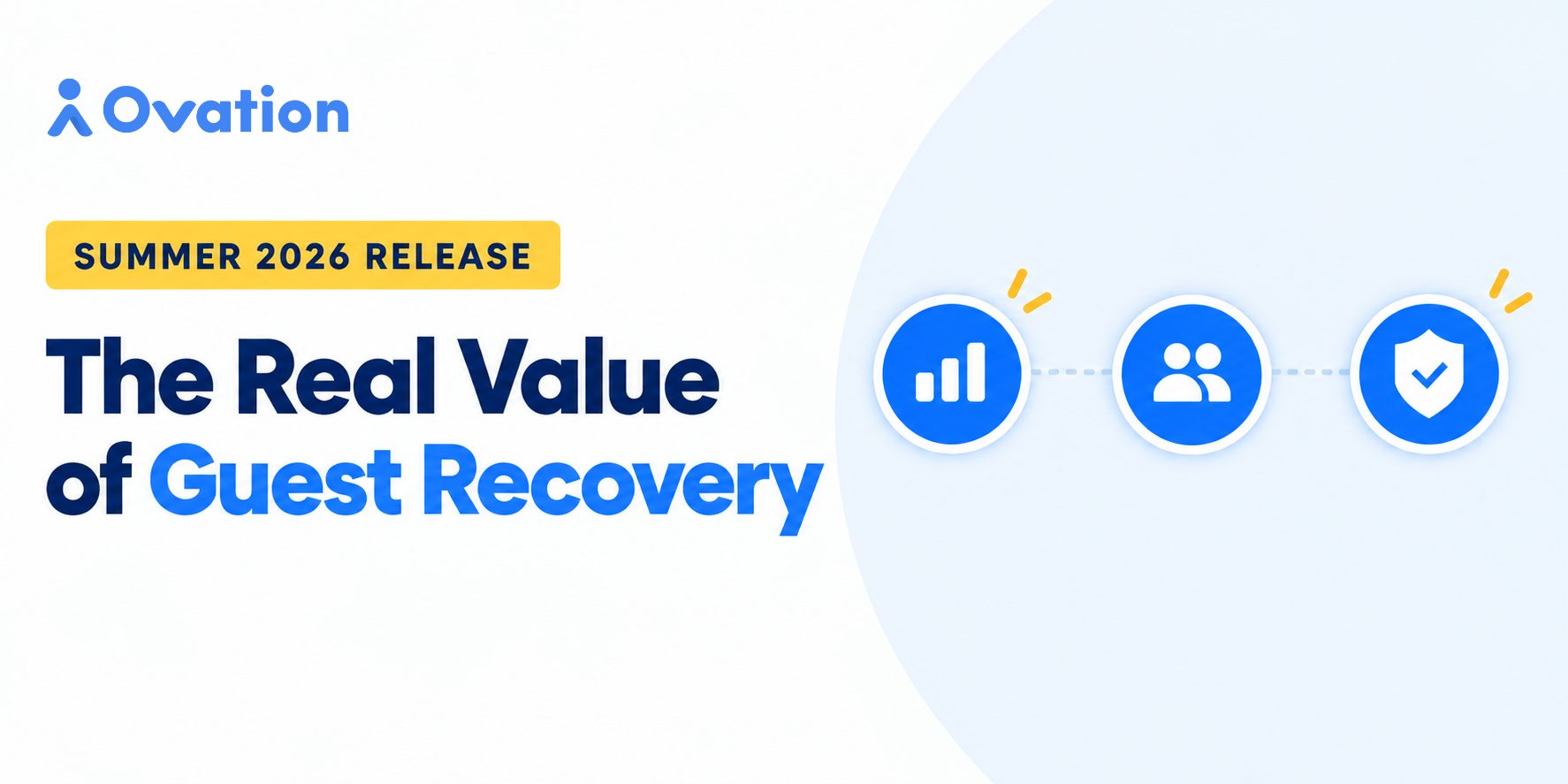
Here’s a quick run through of all our new features for Summer 2026 — built around one idea: the real value of guest recovery.
The Real Value of Guest Recovery
The value of guest recovery has always been hard to prove. Ovation’s Summer 2026 release changes that with the Guest Recovery Dashboard, turning your team’s recovery work into a clear revenue number leadership can actually rally around. Alongside it, self-service Permissions put access control in your hands instead of Support’s queue, and built-in Fraud Prevention keeps the data behind that revenue number honest.
The result: a clear ROI story, less time waiting on tickets, and confidence that the numbers you’re reporting on are real.
Let’s take a look at what’s new:
Guest Recovery Dashboard — Stop Guessing What Recovery Is Worth. See It.
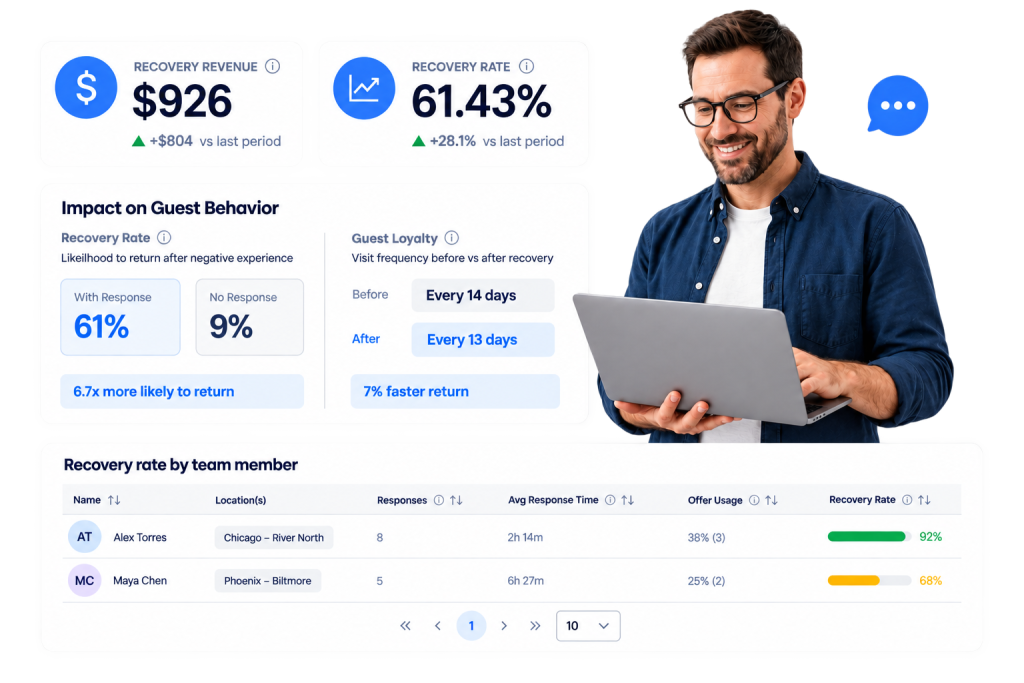
Recovering a guest is one thing — proving it’s worth something is another. The new Guest Recovery Dashboard brings recovery reporting out of the response inbox and ad-hoc spreadsheets into a single view: how much revenue was saved, how fast and how often your team responds, and what that recovery actually does for guest behavior over time.
- See four headline metrics at a glance — Recovery Revenue, Recovery Rate, Avg Response Time, and Response Rate — each shown alongside change vs. the prior period.
- Understand the impact on guest behavior — likelihood to return after a negative experience, and average days between orders for every guest who left negative feedback.
- See which comps are actually driving recovery, broken down offer by offer.
- Coach with a sortable team leaderboard — who’s responding, how fast, how often they use an offer, and their save rate.
- Get exportable, itemized proof for every save — not just a summary number.
User Permissions — Your Org Chart. Your Access Rules.
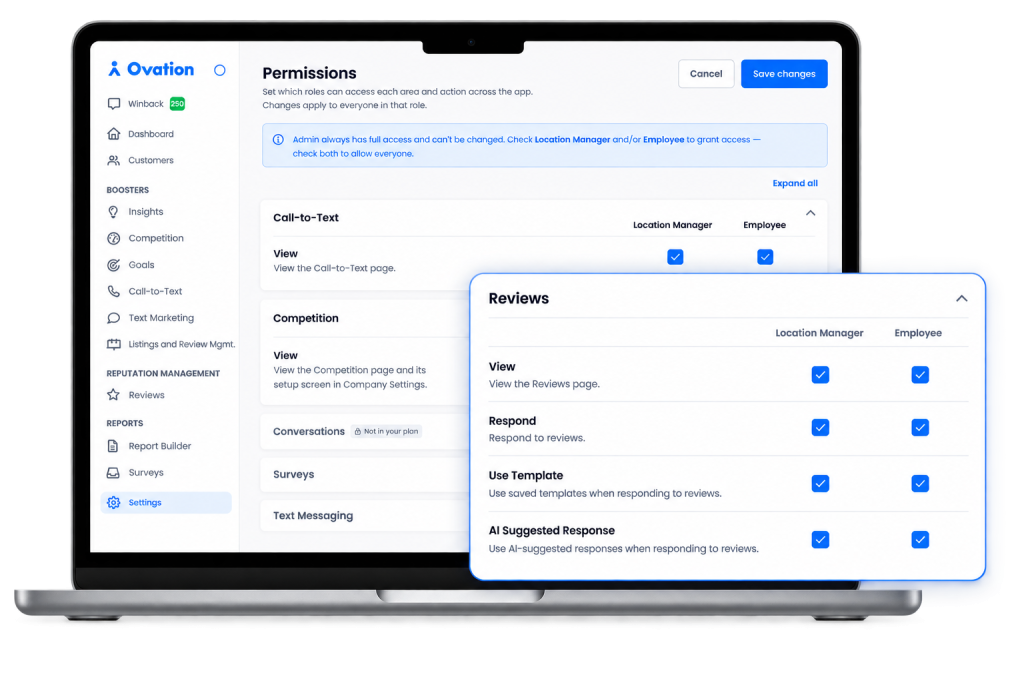
- Configure page visibility and key actions — view, edit, respond, export — per role.
- See changes take effect instantly — no dev, no ticket, no wait.
- Rely on built-in guardrails — disabling a page removes it from navigation and blocks direct access.
Fraud Prevention — Keep Your Data Honest
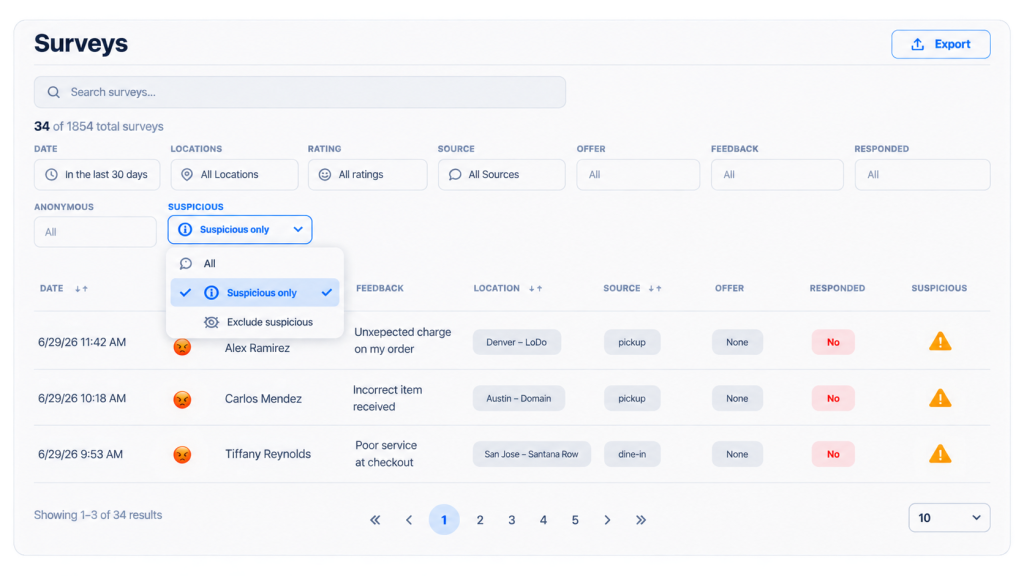
- Catch duplicate survey submissions automatically — one survey per order, plus device-level detection on open channels like QR codes.
- Stay ahead of activity that could skew your scores — with visibility into affected locations, right on your Surveys page.
- Trust that it runs quietly in the background — no setup, and no impact on real guests.
- Give ops leaders confidence that a location’s numbers are earned, not engineered.
The Real Value of Guest Recovery Starts Here
See how Ovation’s Summer 2026 features can work for your brand. Request a demo to learn more.